The "Desk" menu: Difference between revisions
Jump to navigation
Jump to search
Back to TOS 2.06 Guide
the "Desk" menu - the "File" menu - the "View" menu - the "Options" menu
the "Desk" menu - [the "File" menu] - [the "View" menu] - [the "Options" menu]
Back to TOS 2.06 Guide
>Wongck No edit summary |
>Wongck No edit summary |
||
| Line 22: | Line 22: | ||
<center>Back to [[TOS 2.06 in-depth user guide|TOS 2.06 Guide]]</center> | <center>Back to [[TOS 2.06 in-depth user guide|TOS 2.06 Guide]]</center> | ||
<br /> | |||
<br /> | |||
<br /> | |||
[[Category:TOS 2.06 User Guide]] | |||
Latest revision as of 10:15, 10 October 2011
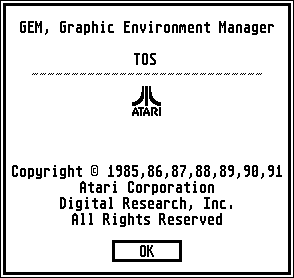
The "Desk" menu shows you the TOS 2.06 "Desktop Info" and gives you access to any accessories you may have installed (such as [xcontr.htm the control panel]).

