CT60: Difference between revisions
>Wongck No edit summary |
>Wongck |
||
| Line 48: | Line 48: | ||
===CPLD firmware=== | ===CPLD firmware=== | ||
The CPLD is the "brains" of the CT60 and controls how it interact with the various part of the other hardware on the falcon motherboard as well as on add-on hardware at the | The CPLD is the "brains" of the CT60 and controls how it interact with the various part of the other hardware on the falcon motherboard as well as on add-on hardware at the CT60 pins. The firmware update requires an additional cable called the JTAG cable. The updates may be features release or bug fixes. An example of feature update was the inclusion of IDE support on the CTPCI. | ||
* [http://nokturnal.pl/home/atari_16_32_bit/ct60_firmware_upgrade Excellent writeup] on how to upgrade the CPLD firmware | * [http://nokturnal.pl/home/atari_16_32_bit/ct60_firmware_upgrade Excellent writeup] on how to upgrade the CPLD firmware | ||
Revision as of 09:40, 7 April 2012

CT63 is also a member of this family.
Introduction
The CT60/CT63 is a hardware accelerator for the Atari Falcon computer. The accelerator is based on a 68060 CPU on a custom circuit board with an SDRAM slot and additional header pins for other add-on hardware cards. The CT63 is the latest revision which comes with a programmable clock module CTCM that allow the CT63 to overclock the 68060 up to 106 MHz. Many users successfully run the CT63 at over 100MHz but running at only 90-95MHz is a norm.
The SDRAM is accessed as FAST RAM ( TT RAM ) at full system speed, that's it is accessed at 100MHZ if the CTCM is set to 100MHz.
The CT60/CT63, CTCM and CTPCI is the brain child of Rodolphe Czuba.
Features
- 68060 (with FPU & PMMU) at selectable clock from 80 to 100 MHz.
- Bus CT63 at 80 to 100 MHz : SDRAM & 060 BUS accesses.
- SDRAM PC133 (CL2) at 80 to 100 MHz with BURST accesses & page HIT on open banks.
- 1 SDRAM PC-133 socket for 64 MB to 512 MB.
- FLASH of 1MB with BOOT, 060 INIT, TOS4 + patchs. Can be easely updated !
- Switch to commute between the 060 and the 030 of the Falcon.
- 100% Falcon 030 mode available. The 68882 is available with the 030 mode.
- Easy fitting WITHOUT SOLDERS in the original Falcon case, without the Falcon power supply that is replaced by an external standard ATX power supply (or into an ATX tower).
- 060 Bus Slot for adding a daughter card (EtherNAT).
Hardware add on for CT60
- CTCM - a programmable clock module
- CTPCI - PCI extension allowing PCI cards to be connected. Radeon, USB & Ethernet is support (soon).
- ETherNAT - network adapter with USB
- SuperVidel - graphic card with good Videl compatibility. Small Ethernet add-on is available.
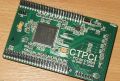
CTPCI

CTPCI on top of CT63


Benchmark
Firmware and TOS updates
There are 2 basic type of software/firmware update on the CT60/CT63 - the patched TOS with boot & drivers software and the CPLD firmware.
Patched TOS/Boot/Drivers
The patched TOS with boot/Drivers software is "burned" into the flash memory on the CT60 board. At boot up the CT60 will load the boot software which set up the CT60 according to it's configuration - the CPU running speed, SDRAM access, Storage access, CTPCI access and Radeon/PCI card access (with the drivers). The boot software then loads the patched TOS and your desktop appear. When new updates are available you can update these software with the Flash tool. An example of updates was the inclusion of Radeon drivers to support the CTPCI.
- Patched TOS and CT60 flash tool from Didier's site
- Procedure to flash in new TOS and Boot softare.
CPLD firmware
The CPLD is the "brains" of the CT60 and controls how it interact with the various part of the other hardware on the falcon motherboard as well as on add-on hardware at the CT60 pins. The firmware update requires an additional cable called the JTAG cable. The updates may be features release or bug fixes. An example of feature update was the inclusion of IDE support on the CTPCI.
- Excellent writeup on how to upgrade the CPLD firmware
- Procedure to update CT60/CTPCI using a PC
Links
- Power Phenix is the home of the CT60/CT63, CTCM and CTPCI
- CT60 software by Didier Méquignon